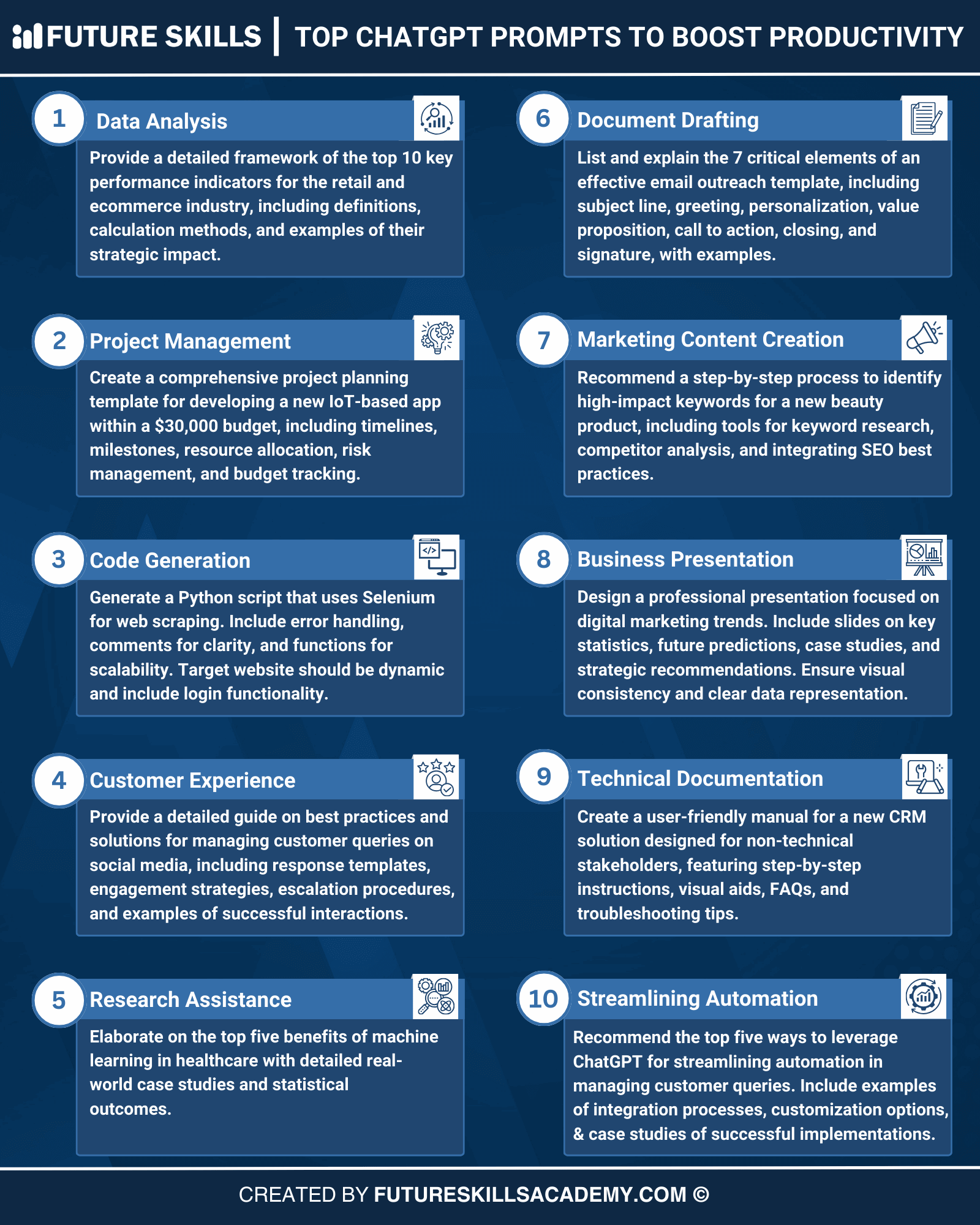
10 Game-Changing ChatGPT Prompts That Will Transform Your Daily Workflow
Get link
Facebook
X
Pinterest
Email
Other Apps
Discover how to automate tasks, enhance decision-making, and save hours every day with these powerful AI prompts
Published: June 15, 2025•10 min read•Productivity
Introduction
AI isn't just the future—it's already transforming the way we work. Whether you're a busy entrepreneur, freelancer, or 9-to-5 warrior, ChatGPT can become your smartest virtual teammate.
Below are 10 game-changing ChatGPT prompts that can automate tasks, enhance decision-making, and save you time, every single day.
What You'll Learn
How to automate repetitive tasks with AI
Time-saving email templates and follow-ups
Content creation shortcuts for social media
Productivity schedules and planning tools
Techniques to simplify complex information
Why This Matters
The average professional spends:
28% of workday reading and answering emails
31% in unproductive meetings
20% searching for information
Only 21% on actual productive work
These prompts will help reclaim that lost time.
1 Email Thread Summarizer
Use case: When you're drowning in back-and-forth emails and need to extract the important points.
Prompt:
"Summarize the following email thread into key takeaways and list all action items with who should do what."
Why it works: This prompt helps you cut through the noise of long email chains and identifies:
The most important discussion points
Concrete action items that need attention
Who is responsible for each task
Deadlines mentioned in the thread
Simply copy and paste the entire email thread, and ChatGPT will distill it down to the essentials.
2 Polite Follow-up Email Generator
Use case: Saves time drafting follow-up emails for meetings or requests.
Prompt:
"Write a follow-up email asking if there's any update regarding the meeting I requested last Tuesday. Make it polite and professional."
Why it works: Following up is essential but time-consuming. This prompt:
Creates a perfectly toned follow-up that's neither pushy nor passive
Maintains professional courtesy while getting your point across
Can be customized for different scenarios (job applications, client requests, etc.)
You can also specify your relationship with the recipient for a more tailored tone.
3 Viral Content Idea Generator
Use case: Perfect for social media marketers, bloggers, and content creators looking for trending ideas.
Prompt:
"Give me 3 trending and viral content ideas for a YouTube channel about fitness, based on what's currently popular."
Why it works: This prompt leverages ChatGPT's knowledge of trends to:
Generate content ideas aligned with current interests
Provide hooks that appeal to your target audience
Suggest formats that perform well on specific platforms
Replace "fitness" with your niche, and "YouTube" with your platform of choice.
Pro Tip: Making Your Prompts More Effective
To get better results from ChatGPT, try adding these elements to your prompts:
Specificity: "Write a LinkedIn post about AI in healthcare for medical professionals" is better than "Write a post about AI"
Context: Briefly explain your situation or background
Format: Specify how you want the information presented (bullet points, paragraphs, table, etc.)
Tone: Indicate the desired tone (professional, casual, enthusiastic, etc.)
4 Simplify Complex Topics
Use case: Learning fast or breaking down complex topics for yourself or others.
Prompt:
"Explain cryptocurrency to a 5-year-old in a simple and fun way."
Why it works: The ELI5 (Explain Like I'm 5) approach is powerful because:
It forces the removal of jargon and technical language
Uses metaphors and analogies that make complex ideas accessible
Focuses on core concepts rather than overwhelming details
Makes information more memorable and shareable
This works for any complex topic: blockchain, quantum physics, financial concepts, or technical processes.
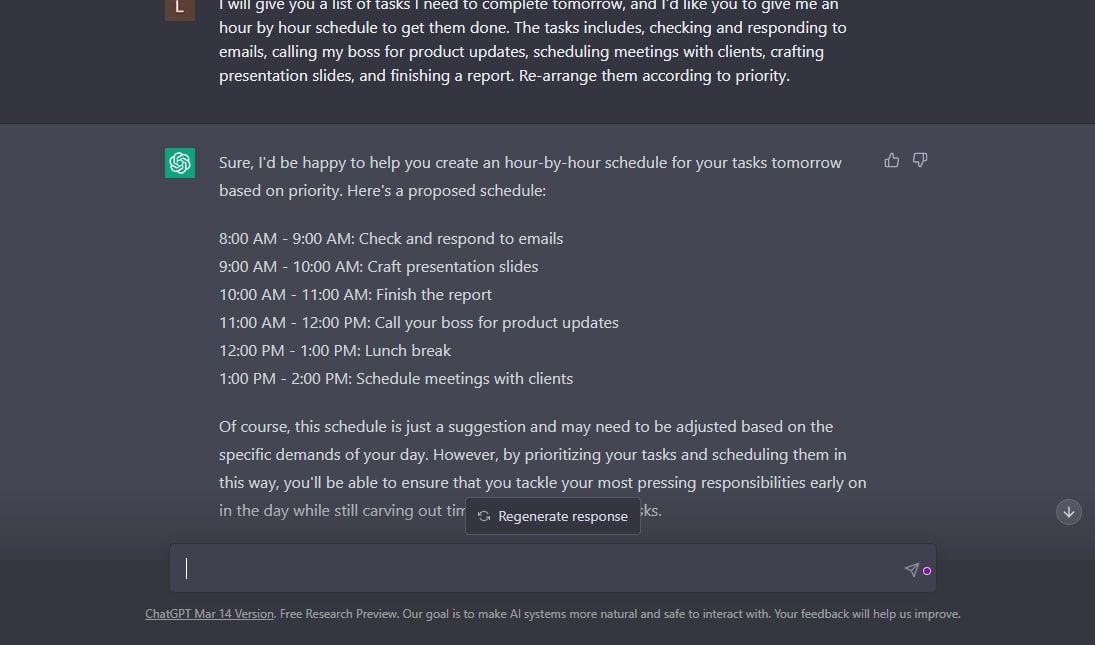
5 Custom Productivity Schedule Creator
Use case: Managing time and output for remote workers or anyone needing structure.
Prompt:
"Make a 9-to-5 work-from-home daily schedule for someone who needs time for deep work, Zoom meetings, and lunch."
Why it works: This customizable schedule prompt:
Creates a balanced day with appropriate work blocks
Incorporates breaks and transitions between tasks
Accounts for your specific work requirements
Can be adjusted for your energy peaks and productivity patterns
Customize by mentioning your specific job tasks, personal commitments, or energy patterns.
6 SEO-Optimized Blog Outline Generator
Use case: Content creators looking to rank higher in search results.
Prompt:
"Create an SEO-optimized blog outline for 'How to Start a Dropshipping Business in 2025' with trending keywords."
Why it works: This prompt helps content creators by:
Structuring content in an SEO-friendly way
Suggesting relevant keywords and phrases to include
Creating a comprehensive outline that covers important subtopics
Saving hours of keyword research and content planning
The outline serves as a solid foundation that you can customize and expand with your unique insights.
Case Study: Time Saved
Marketing manager Sarah tracked her productivity before and after implementing these ChatGPT prompts:
Task
Before ChatGPT
After ChatGPT
Time Saved
Email Processing
2.5 hours/day
1 hour/day
1.5 hours
Content Creation
4 hours/article
1.5 hours/article
2.5 hours
Research
3 hours/topic
1 hour/topic
2 hours
Meeting Prep
45 mins/meeting
15 mins/meeting
30 mins
Result: Sarah saved approximately 12 hours per week, which she redirected to strategic planning and creative work.
7 PDF Summarizer
Use case: Speed-reading reports or research papers.
Prompt:
"Summarize this PDF into bullet points highlighting only the most important points."
Why it works: This prompt is a time-saver for professionals who need to:
Extract key information from lengthy documents quickly
Identify core concepts without reading everything
Create shareable summaries for team members
Decide if a full read is necessary
Paste the text from your PDF, and ChatGPT will distill it down to the essential information.
8 LinkedIn Engagement Post Generator
Use case: Grow your professional brand with engaging content.
Prompt:
"Suggest 5 post ideas for a LinkedIn profile of a tech founder that encourage shares, comments, and discussion."
Why it works: This prompt helps professionals build their online presence by:
Creating conversation starters that encourage engagement
Generating ideas that position you as a thought leader
Suggesting content formats that perform well on LinkedIn's algorithm
Tailoring content to your specific professional niche
Customize by replacing "tech founder" with your profession and industry.
9 Job Interview Preparation Coach
Use case: Ace interviews with custom coaching.
Prompt:
"Act as an interview coach and prepare me for a product manager interview at Google, including questions and model answers."
Why it works: This prompt creates a personalized interview prep experience:
Generates likely interview questions specific to the role and company
Provides strong sample answers you can adapt
Includes industry-specific technical questions
Offers guidance on presenting your experience effectively
Customize with your target role, company, and specific areas of concern.
10 Project Task Breakdown
Use case: Project planning made simple.
Prompt:
"Make a step-by-step to-do list with estimated time for each task to launch a personal finance blog."
Why it works: This prompt helps with project management by:
Breaking large projects into manageable steps
Providing realistic time estimates for planning
Creating a logical sequence of tasks
Preventing overlooked steps in complex projects
Replace "personal finance blog" with any project you're working on.
Final Thoughts & Getting Started
ChatGPT is more than a chatbot—it's a productivity multiplier. Using the right prompts can transform your workflow, automate grunt work, and unlock more creative time.
Start with just one or two prompts that address your biggest time-wasters. As you get comfortable, incorporate more into your daily routine.
Quick Tips for ChatGPT Success:
Be specific with your requests
Ask for revisions if the first response isn't perfect
Save your favorite prompts somewhere accessible
Experiment with different wordings to see what works best
Remember that ChatGPT can be wrong—always review critical outputs
Try these prompts today—and feel the shift in how you work. Your future self will thank you for the hours saved and the headspace gained..




Comments
Post a Comment